
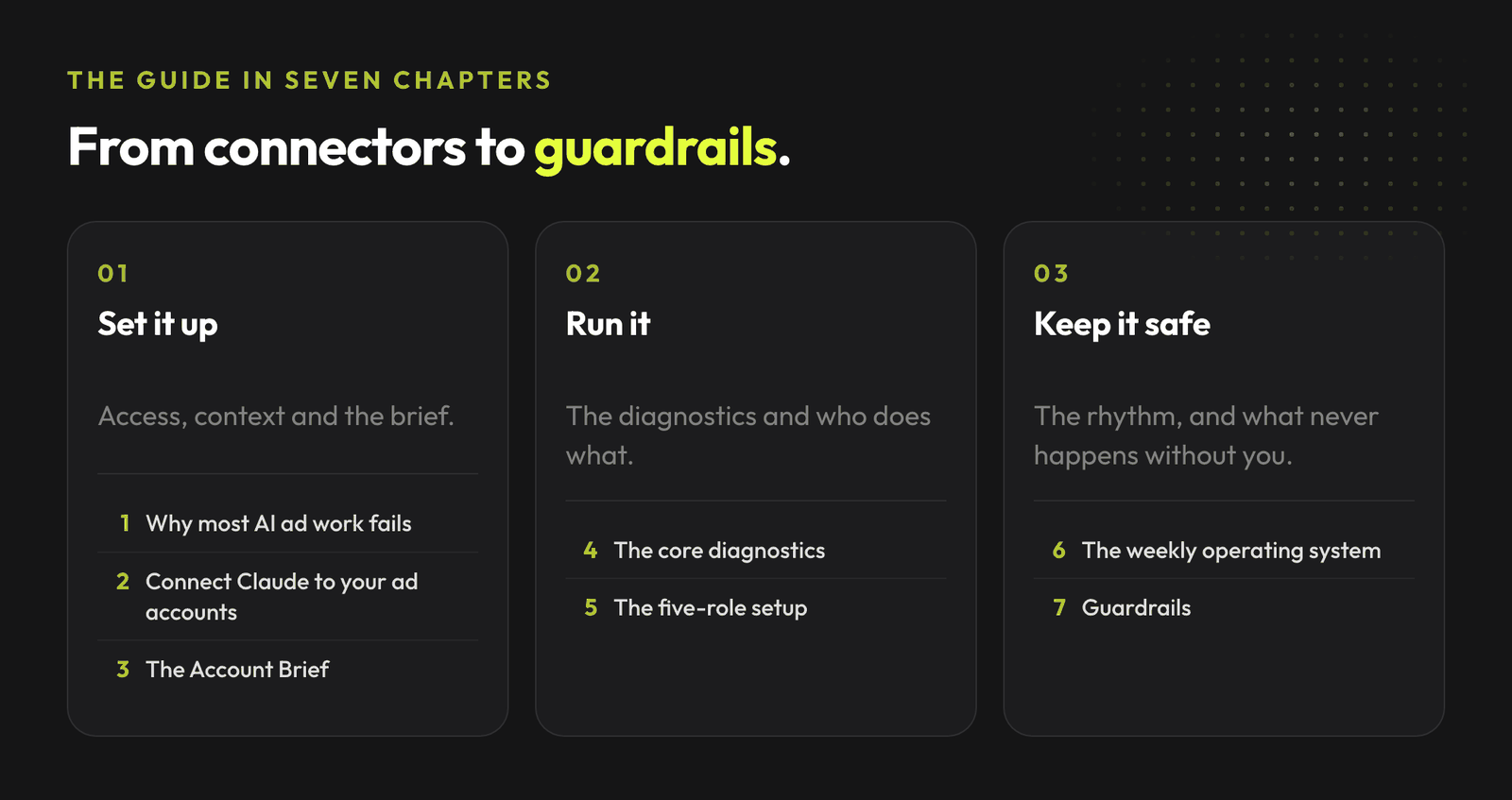
The whole system for running Google Ads and Meta Ads work with Claude: connectors, the account brief, the diagnostics, the five roles and the guardrails.
Most guides about AI and ads show you ten prompts and call it a strategy.
Then Monday happens. Spend shifts overnight, tracking double-counts, a campaign that carried the account starts leaking, and the prompt library does not know any of it.
Join the waitlist and get notified when the new AdLume is ready. It catches wasted ad spend automatically and optimises campaigns around the clock.
One email, on the day access opens. Nothing else, and you can leave the list with one click.
This guide is the full system I use to run paid ads work with Claude: how to connect it to Google Ads and Meta Ads, what context it should read every time, which diagnostics actually move accounts, how to split the work into roles, and the guardrails that keep AI away from anything that touches money.
It is the setup I would hand a new account manager on day one, pulled from the 80+ Claude skills I have published and the accounts I run every week. Every prompt below is copy-paste ready.
Everything here is diagnostic-first. Claude reads, compares, flags and drafts. You approve anything that changes budget, tracking or live ads. That one boundary is what makes the rest of this safe to use on real accounts.
Three failure modes cover almost every bad AI ads experience.
The input problem. You paste a screenshot and five random metrics, ask "what's wrong with this account?", and get the usual soup: test more creatives, check tracking, improve the landing page. Technically not wrong. Completely useless. Paid ads performance is a stack of signals: traffic quality, auction pressure, conversion tracking, search intent, landing page reality, recent changes. If Claude cannot see those signals, it guesses.
The missing finish line. "Audit this landing page" produces a list. Some useful, some vague, some impossible to act on. A bounded task ("separate tracking issues from creative fatigue from budget issues, do not suggest changes until you name the missing data") produces a decision.
Fake confidence. Ads data is full of traps: tiny samples, attribution lag, AOV drops that look like CPA problems, platform recommendations pretending to be strategy. A model that is not forced to separate facts from hypotheses will sound certain about all of them.
Every section below exists to remove one of these three.
You have two realistic paths in 2026.
Path 1: official connectors. Meta now runs an official Ads MCP server at mcp.facebook.com/ads. It launched with 29 tools and exposes 97 on my connection today, across performance reporting, campaign management, catalog management and signal diagnostics. Meta adds tools as products leave beta, so treat whatever number you see as a floor. Authorization goes through Meta OAuth, so you need the right Business Portfolio and ad account access. Setup is minutes, not days. For the bigger picture of where Meta's own AI fits, see AI in Meta Ads.
Path 2: the Google Ads API route. Google Ads still needs the API path: developer token, Google Cloud project, OAuth client, refresh token, google-ads.yaml, and a local MCP server config. It is more steps, and I wrote the full walkthrough here: the practical guide to connecting Claude to Google Ads and Meta Ads with MCP.
Two rules regardless of path:
If you do not want to touch APIs yet, everything else in this guide still works with exports: campaign reports, search terms, change history, screenshots. Slower, but zero setup.
Your first session should be read-only. Once a connector is live, do not ask Claude to optimize anything. Give it one bounded, read-only job and check its answer against your own read of the account. This is the prompt I start with:
You are a paid ads analyst with read-only access to my Google Ads and Meta Ads.
Do not make any changes.

Do this:
1. Review the last 14 days across both platforms.
2. Compare spend, conversions, CPA and ROAS where available, and the biggest
   week-over-week changes.
3. Return the three biggest changes, the likely cause of each, what needs
   human review, and what should not be changed yet.

Rules:
- Separate facts from hypotheses.
- If a number is missing, name it as missing. Do not infer it.
- Do not create campaigns, edit budgets, or touch tracking.
If that read matches yours, the connector is trustworthy. If it invents numbers, you just learned that before it touched a budget.
This is the highest-leverage file most people never create.
Claude starts every conversation knowing nothing about your business. So you repeat yourself, or worse, you do not, and it optimizes toward assumptions. The fix is one short brief it reads before any ads task.
Copy this template and fill it in:
# Account Brief: [client / brand]

## Business context
- What we sell, to whom, and the average order value or deal size
- Margin reality: the CPA or ROAS that actually keeps this profitable
- Seasonality or launch context worth knowing

## Targets and floors
- Target CPA: X / Target ROAS: X
- Hard floor: below this ROAS, or above this CPA, flag it immediately
- Budget pacing: monthly budget and acceptable daily variance

## Conversion truth
- Primary conversion actions and what they mean in revenue terms
- Known tracking weaknesses: lag, double counting, offline gap
- What counts as a good lead versus a form fill

## Naming and structure
- Campaign naming convention
- What each campaign is for, one line each

## Approval boundaries
- Claude may: read, compare, flag, draft, recommend
- Claude may not: change budgets, pause campaigns, edit bidding,
  touch conversion tracking, publish ads
- Every recommendation ends with: facts vs hypotheses vs missing data
Write it once. Paste it at the start of every session, or save it where your setup can read it. Every diagnostic below gets sharper because of it. If you want ready-made starting points to drop into a filled brief, the 101 Google Ads prompts pair well with it.
I have published over 80 Claude skills for ads work. These are the ones that earn their place on real accounts, grouped by the question they answer.
"Where is money leaking?"
"Can I trust these numbers?"
"Why did performance change?"
"Is the promise consistent?"
Out of all of them, three cover most accounts' real problems. Here they are, copy-paste ready.
The full library of AdLume skills: paid ads, landing pages, B2B leads, GTM tracking, e-commerce.
The bundle goes straight to your inbox, then one email a week. Unsubscribe in one click. We never share your address.
1. Wasted spend finder
You are a paid ads waste analyst. Goal: find search terms and placements with
real spend and no return, and hand me a ready negative list.

I will paste:
- Google Ads search terms report (term, cost, clicks, conversions), last 30-60 days
- Placement report if I run Display, PMax or Meta (placement, cost, conversions)
- My Account Brief (target CPA, what counts as a conversion)

Do this:
1. Flag every term or placement with spend above my target CPA and zero conversions.
2. Group them by theme: irrelevant intent, wrong geo, junk placements,
   competitor terms I do not want.
3. Separate "safe to add as a negative now" from "check before excluding"
   (brand-adjacent, upper funnel).

Rules:
- Keep facts (in the data) and hypotheses (inferred) separate.
- If a required input is missing, list it as MISSING and do not infer it.
- Do not present exclusions as done. They are decisions for me to approve.

End with: a ready negative keyword and placement list, and the total spend it
would have saved last period.
2. Conversion signal audit
You are a conversion-quality analyst. Goal: tell me whether this account
optimizes toward revenue and real leads, or toward cheap actions I
accidentally rewarded.

I will paste:
- Every active conversion action (name, category, count, value, whether it is
  included in "Conversions")
- What each action means in my business, from my Account Brief
- If lead gen: a sample of recent leads with quality or outcome, if I have it

Do this:
1. Flag conversion actions that reward low-intent events (newsletter signups,
   page views, unqualified form fills) but still feed bidding.
2. Check for double counting and value mismatches: the same action counted
   twice, a static value where revenue actually varies.
3. Tell me which actions should drive Smart Bidding and which should be
   observation-only.

Rules:
- Facts versus hypotheses, kept separate.
- If a required input is missing, list it as MISSING and do not infer it.
- Do not change conversion setup as a done action. Give me a plan to approve.

End with: the one conversion change most likely to improve lead quality, and
what to verify before making it.
3. Ad-to-landing message match
You are a message-match analyst. Goal: tell me whether my landing page pays off
what the ad promised, before I blame targeting.

I will paste:
- The ad: headline, primary text or description, and the offer
- The landing page URL, or its above-the-fold copy and main CTA
- The search term or audience the ad is served to

Do this:
1. State the promise the ad makes and the promise the page delivers, one line each.
2. Flag every gap: offer mismatch, a different primary CTA, missing proof the ad
   implied, a slow or heavy above-the-fold.
3. Rank the gaps by likely conversion impact.

Rules:
- Facts (on the page) versus hypotheses (inferred), kept separate.
- If you cannot see the page content, say so and ask for it. Do not guess.

End with: the single highest-impact fix, and one A/B test worth running.
Run these three before you scale anything. When one surfaces a bigger problem, the per-platform packs go deeper: Google Ads, Meta Ads, the Google Ads playbook, and the full 20 paid ads skills.
One general Claude helps with a lot. But after a few turns the chat gets messy: the analyst starts writing creative, the media buyer starts guessing tracking issues, and you have one very confident assistant with one very messy context window.
Split the work into five roles, each with its own prompt, output format and approval boundary:
The important part: none of these roles change budgets, pause campaigns or edit tracking. They prepare better decisions. They also do not need a perfect brief. They work with screenshots, exports, messy notes, or "spend is up and I do not know why", mark what is missing, and tell you what would change the decision.
Every role starts from the same skeleton. Swap in the role name and scope:
You are the [role] on my paid ads team. You own [scope].

You may: read, compare, flag, draft, recommend.
You may not: change budgets, pause anything, edit bidding or tracking,
publish ads.

Work with whatever I give you: exports, screenshots, messy notes. If a decision
needs data I did not give you, name it instead of guessing.

Every answer ends with: facts, hypotheses, missing data, and one recommended
next step for me to approve.
Point each specialist at the matching pack in the Claude skills library and they stop guessing outside their lane. Do not use AI like one overloaded intern. Use it like a small specialist team with clear jobs.
Skills answer questions. A system decides when the questions get asked.
The 15-minute account check (Monday, or daily on active accounts), in a fixed order:
Step 7 is the whole point. Every check ends with exactly one of four calls:
HOLD (do nothing for 24h) / FIX (a known issue, named) / TEST (a hypothesis worth money) / INVESTIGATE (the data cannot be trusted yet).
The prompt that enforces it:
Compare today versus the last 7 days.
Separate facts from hypotheses.
Do not recommend a change until you name the missing data.
End with one decision: HOLD / FIX / TEST / INVESTIGATE.
The Friday readout closes the week. Written for a stakeholder, not for an analyst. This is the prompt:
You are my performance analyst. Write the Friday readout for this account,
for a stakeholder, not an analyst.

I will paste: this week's spend, conversions, CPA and ROAS versus the targets
in my Account Brief, and the top movers.

Structure it:
1. Results versus target: one line, green / amber / red.
2. What moved and why: the top movers, each with a likely cause and a
   confidence level.
3. Decisions for next week: what to HOLD, FIX, TEST or INVESTIGATE, and why.

Rules: facts versus hypotheses; name any missing data; no recommendation that
moves money without my approval. Keep it under 200 words.
If the readout does not end with decisions, it is reporting theater. Run this system manually for two weeks before automating any of it, then borrow from Codex goals for marketing when you are ready to schedule parts of it. If a loop only works in theory, it does not count.
This is the chapter that makes everything above safe on real money.
The never-touch list. No AI in this system touches:
Not because models are useless, but because ad accounts are money systems. A bad automated action can burn budget, break learning, or create a very bad client call.
Learning phase protection. Google warns that changing budget, bid strategy or campaign status can push a campaign back into learning. Most practitioners keep single budget steps small (a common rule of thumb is 15 to 20%, with a 7 to 14 day wait between moves) rather than treat any exact number as an official threshold. An AI that recommends aggressive daily changes is recommending permanent instability.
Facts versus hypotheses, every time. Any output that touches a decision ends with three lists: what the data shows, what is inferred, what is missing. If a recommendation cannot name its missing data, it is not a recommendation. It is a guess with good posture.
Human approval on anything that moves money. The system prepares decisions. You make them. That boundary is not a limitation of current AI. It is what lets you use current AI on accounts that matter.
Everything in this guide works manually. It also takes real hours every week, and someone has to remember to run it.
That is the problem we are building AdLume for: an AI ads operator that watches your accounts in the background and brings the next thing worth fixing into the tools your team already uses, with every money-touching action staying under human approval.
Try AdLume and see how the system from this guide looks when it runs itself.
Free audit
AdLume watches your ad accounts and brings the next fix to your team's tools.
AdLume watches your ad accounts and brings the next fix to your team's tools.
One email, on the day access opens. Nothing else, and you can leave the list with one click.
Claude can read account data (through official connectors like Meta's Ads MCP or the Google Ads API), diagnose problems, draft changes and prepare decisions. In this system it deliberately does not execute changes: budgets, bidding, tracking and publishing stay under human approval.
An Account Brief: business context, target CPA/ROAS and hard floors, conversion definitions and known tracking weaknesses, naming conventions, and explicit approval boundaries. Without it, every answer optimizes toward assumptions.
Three diagnostics cover most real problems: wasted spend (search terms and placements with spend and no conversions), conversion signal quality (is the account optimizing toward revenue or toward cheap actions), and ad-to-landing message match. Fix what those three surface before scaling anything.
Start with the shortlist in this guide: wasted spend, conversion signal and message match. When one surfaces a bigger problem, go deeper with the matching pack: 20 paid ads skills, Google Ads, Meta Ads, landing pages, or tracking.
You can run every prompt in this guide from exports and screenshots: campaign reports, search terms, change history. The connectors just remove the copy-paste. If you want the API path, here is the full MCP setup guide.
Join the waitlist and get notified when the new AdLume is ready. It catches wasted ad spend automatically and optimises campaigns around the clock.
One email, on the day access opens. Nothing else, and you can leave the list with one click.