
Twenty free skills that turn the Meta Ads checks you repeat every week into workflows with a fixed standard.
' Most Meta Ads AI workflows still start in the wrong place. Someone exports a few reports, pastes them into a chat, and asks:
Analyze this Meta Ads account and tell me what to improve. That can produce a decent answer once.
Join the waitlist and get notified when the new AdLume is ready. It catches wasted ad spend automatically and optimises campaigns around the clock.
One email, on the day access opens. Nothing else, and you can leave the list with one click.
It does not create a repeatable workflow.
Meta Ads has too many moving parts for generic prompting: campaigns, ad sets, creative concepts, placements, Pixel and Conversions API signals, learning status, conversion lag, comments, catalogs, and business context. If the agent does not know what to read, what to ignore, and where human approval is required, the output will sound confident while still being too vague to trust.
So I built a different format: 20 Claude Code skills for recurring Meta Ads diagnostics.
Free. Open source. Built for marketers who want useful AI workflows without giving an agent control over ad spend.
Get all 20 Meta Ads skills on GitHub
A Claude Code skill is a self-contained workflow. It has YAML frontmatter that tells Claude when to activate, and a Markdown body that defines the job: required inputs, analysis workflow, output format, decision rules, and guardrails.
For Meta Ads, that matters more than the prompt. A prompt asks for an answer. A skill defines the operating procedure.
The skills in this repo are designed to work with Meta Ads exports today. If you have Meta Ads MCP or another data connector later, you can adapt the same workflows to pull live data. But the first version does not require write access, campaign mutation, or any promise that AI will manage the account for you.
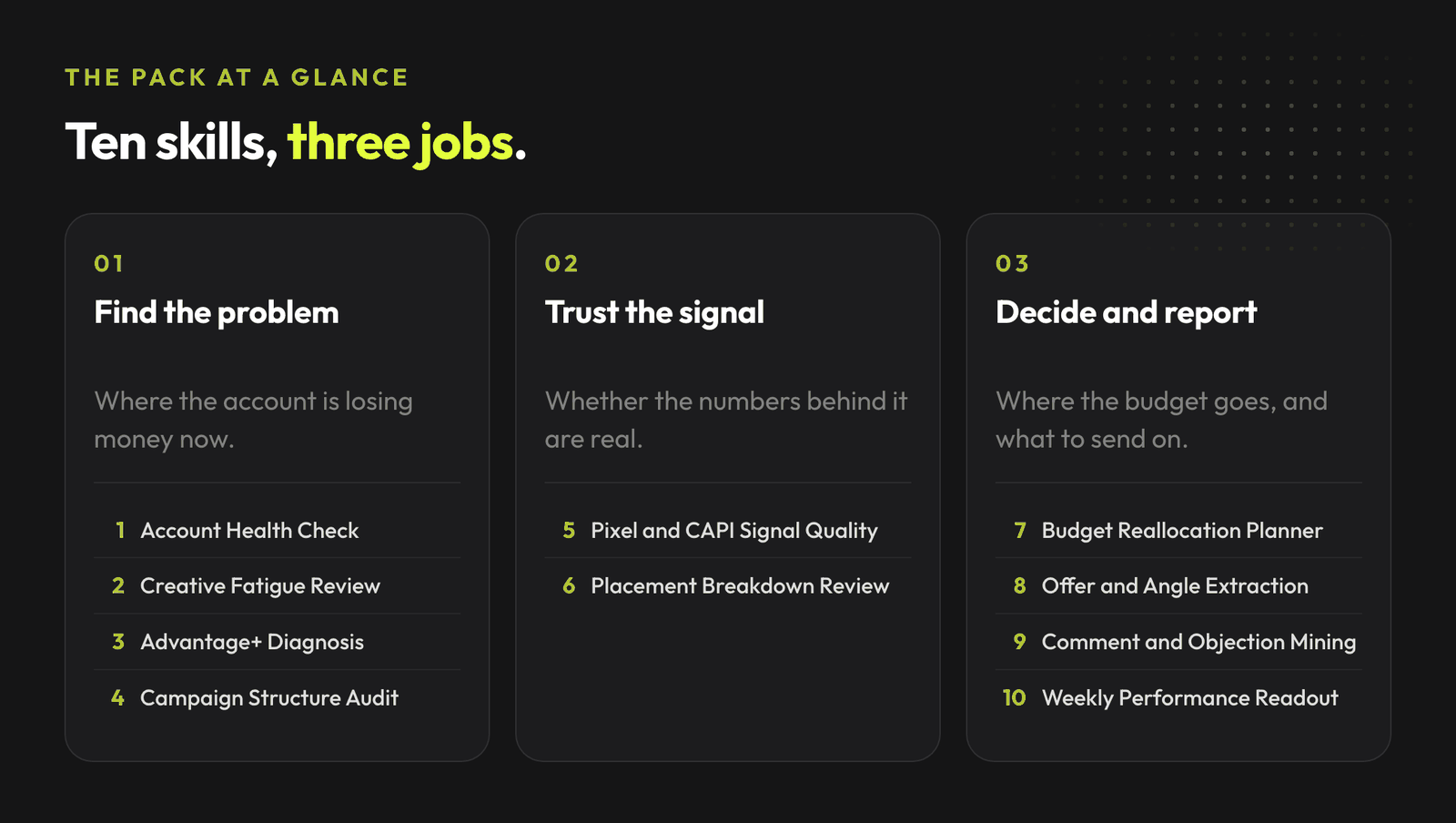
# | Skill | What it does |
|---|---|---|
1 | Account Health Check | Finds the top account issues across campaigns, ad sets, delivery, spend, CPA, ROAS, learning status, and missing data |
2 | Creative Fatigue Review | Identifies tired winners, weak concepts, watchlist creatives, and replacement angles |
3 | Advantage+ Diagnosis | Diagnoses Advantage+ campaigns without assuming automation itself is the problem |
4 | Pixel and CAPI Signal Quality Audit | Reviews Pixel, Conversions API, event quality, deduplication, and optimization event fit |
5 | Budget Reallocation Planner | Decides where to add, hold, reduce, or pause budget with monitoring and rollback triggers |
6 | Placement Breakdown Review | Finds placement-level inefficiency, creative mismatch, and cheap traffic traps |
7 | Campaign Structure Audit | Maps campaign and ad set roles, flags fragmentation, duplication, and legacy debt |
8 | Offer and Angle Extraction | Extracts pain, promise, proof, mechanism, offer, CTA, and performance by angle |
9 | Comment and Objection Mining | Turns comments into objection clusters, FAQ gaps, copy notes, and response priorities |
10 | Weekly Performance Readout | Produces a weekly Meta Ads update with facts, hypotheses, next actions, and approval asks |
11 | Is Meta Taking Credit It Did Not Earn | Compares reported conversions against the business count and a stricter attribution window, and says which number to plan against |
12 | Which Sales Meta Guessed | Separates conversions Meta observed from conversions it modelled, and reports low-volume campaigns as a range rather than a point |
13 | When Today's Numbers Stop Moving | Measures how long results keep filling in after the day they happened, and turns it into a waiting rule before any pause or budget cut |
14 | What iPhone Users Are Not Telling You | Sizes the iOS reporting blind spot against site data and reviews event priority, without recommending you exclude the platform to make reporting look better |
15 | Where Clicks Go Missing | Splits the gap between reported clicks and site sessions into a page-load problem and a measurement problem, so the right one gets fixed first |
16 | Would These Sales Happen Anyway | Designs a holdout or geo test the account can actually read, and says when the baseline is too noisy to run one at all |
17 | Which Campaigns Actually Make Money | Rebuilds campaign performance on contribution margin instead of revenue, and prints break-even ROAS when the cost stack is incomplete |
18 | Audiences Fighting Each Other | Finds overlapping audiences, stale uploaded lists and missing customer exclusions, and names what a consolidation costs in learning |
19 | What Your Lookalike Is Copying | Judges the seed behind each lookalike, because the model copies whatever it is given and no bidding change fixes a weak source |
20 | Why Nothing Leaves Learning | Checks whether structure and budget let any ad set reach the volume it needs to exit learning, and flags editing habits that keep resetting it |
Each skill is data-first. They expect exports from Meta Ads: campaign reports, ad set reports, ad reports, placement breakdowns, Pixel or CAPI diagnostics, comments, or catalog performance where relevant.
They also include explicit guardrails. By default, they do not publish ads, change budgets, pause campaigns, edit tracking, or modify optimization events.
Clone the repo and copy the skill folders into your project's .claude/skills/ directory, or into ~/.claude/skills/ for user-level access.
git clone https://github.com/mardab96/meta-ads-skills.git
cp -r meta-ads-skills/* ~/.claude/skills/
Start a new Claude Code session. The skills activate automatically when their description matches what you are asking for.
Each skill is plain Markdown with YAML frontmatter. Paste the relevant SKILL.md into context when you want to use it.
You do not trigger skills with a command. You describe the problem.
"Review this Meta Ads account health, here are campaign and ad set exports from the last 30 days."
Account Health Check activates. "CPA is rising and frequency is up. Check if this is creative fatigue." Creative Fatigue Review activates. "Prepare this week's Meta Ads readout for the client." Weekly Performance Readout activates.
The full library of AdLume skills: paid ads, landing pages, B2B leads, GTM tracking, e-commerce.
The bundle goes straight to your inbox, then one email a week. Unsubscribe in one click. We never share your address.
The skills work best when you provide actual exports, not screenshots.
Recommended exports.
If you do not have all of them, the skills still run with lower confidence and tell you what is missing.
There is a reason the skills are diagnostic-first.
Meta Ads is a money system. A small mistake can change budget allocation, damage learning, break tracking interpretation, or push the account toward low-quality conversions.
So the workflow should look like this:
That is much more useful than pretending the agent is an autopilot.
The Creative Fatigue Review skill asks for ad-level exports from the last 7, 14, 30, and ideally 60 days.
It then groups ads by creative concept, not only by ad ID.
It checks.
The output classifies each concept as:
The guardrail is important: the skill does not recommend replacing a creative only because frequency is high. It needs trend evidence.
That is the difference between a useful AI workflow and a generic "refresh your creatives" answer.
---
name: creative-fatigue-review-meta-ads
description: Reviews Meta Ads ad-level and creative-level exports to identify likely creative fatigue, tired winners, weak concepts, and replacement angles. Use when CPA rises, CTR drops, frequency increases, CPM changes, or the user asks whether Meta Ads creatives need refresh.
---
# Creative Fatigue Review - Meta Ads
## Required input
- ad-level export for last 7, 14, 30, and 60 days
- creative names or IDs
- spend, impressions, CPM, CTR, CPC, conversions, CPA, frequency
- comment samples if available
## Analysis workflow
1. Group ads by creative concept.
2. Compare frequency, CTR, CPM, CPC, CPA, spend, and conversion trend.
3. Separate creative fatigue from offer, landing page, tracking, or auction cost issues.
4. Classify each concept as winner, watchlist, replace, kill, or insufficient data.
## Output
- creative fatigue table
- likely reason for decline
- replacement angle recommendations
- missing data
## Guardrails
- Do not recommend replacing a creative only because frequency is high.
- Do not claim fatigue without trend evidence.
- Do not make campaign changes.That structure is implementable in Claude Code today.
Three practical ways to use the repo:
If your team already runs Google Ads too, the companion repo is20 Claude Skills for Google Ads.
The bigger point is not Meta Ads specifically.
The bigger point is that performance marketing work is becoming a set of repeatable agent workflows. The teams that win will not be the ones pasting random prompts into a chat. They will be the ones turning recurring diagnostics into clear, versioned, reviewable systems.
AdLume watches your ad accounts and brings the next fix to your team's tools.
One email, on the day access opens. Nothing else, and you can leave the list with one click.
Clone the repo and copy the skill folders into your project's .claude/skills/ directory, or into ~/.claude/skills/ for user-level access. Then start a new Claude Code session; skills activate automatically when their description matches what you ask for.
No. The skills are designed to work with Meta Ads exports today. If you have Meta Ads MCP or another data connector later, you can extend the workflows.
You do not use a command, you describe the problem. For example, saying that CPA is rising and frequency is up activates the Creative Fatigue Review skill.
No. They include explicit guardrails: by default they do not publish ads, change budgets, pause campaigns, edit tracking or modify optimization. A human approves and applies changes.
Just read access. The skills work from exports you provide, such as campaign, ad set, ad and placement reports, and by default they do not publish ads, change budgets, pause campaigns, edit tracking or modify optimization events. A human approves and applies anything that touches the account.
Join the waitlist and get notified when the new AdLume is ready. It catches wasted ad spend automatically and optimises campaigns around the clock.
One email, on the day access opens. Nothing else, and you can leave the list with one click.