
Every AdLume skill pack in one place, indexed by the job you are trying to finish rather than by the tool it touches.
Most marketing AI workflows still depend on one fragile prompt.
Someone exports a report, pastes it into Claude, and asks:
Join the waitlist and get notified when the new AdLume is ready. It catches wasted ad spend automatically and optimises campaigns around the clock.
One email, on the day access opens. Nothing else, and you can leave the list with one click.
Analyze this and tell me what to do.
Sometimes the answer is useful.
But repeatable marketing work needs more structure than that.
It needs a clear job, required inputs, decision rules, confidence levels, and guardrails around anything that can touch spend, tracking, publishing, or customer-facing promises.
That is why we built this library:
A free collection of Claude Skills for marketing operators, founders, and lean growth teams.
The skills are practical Markdown workflows you can use in Claude Code or adapt to other Claude environments. They are designed to work from exports, screenshots, URLs, reports, CRM notes, sales notes, comments, reviews, and weekly summaries.
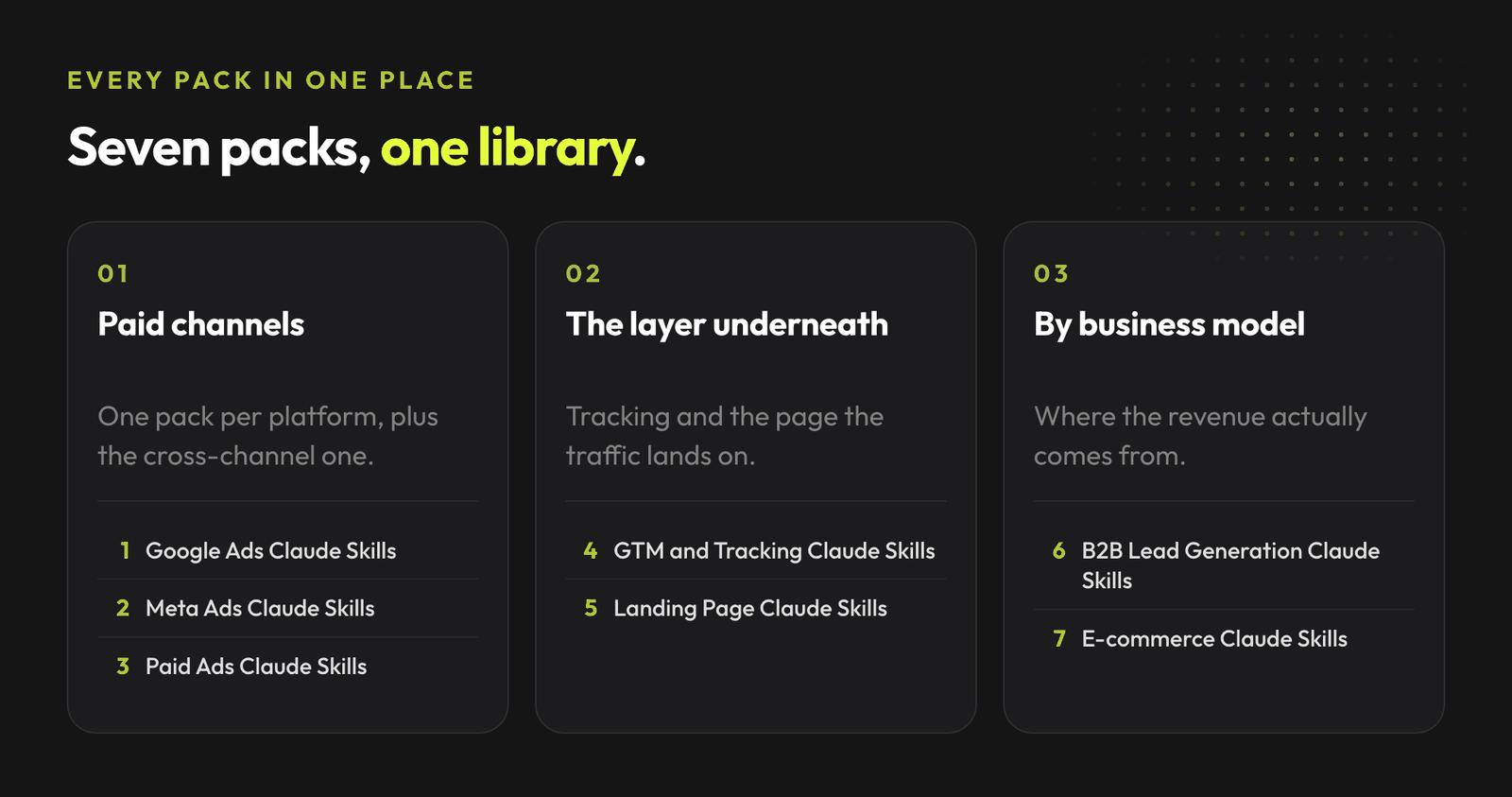
Every skill set we've published, in one place. Each guide has the skills ready to drop into Claude Code and run.
Pack | Skills | What it covers | Guide | Repo |
|---|---|---|---|---|
Google Ads Claude Skills | 20 | Google Ads audits, search terms, PMax, bidding, conversion tracking, RSA copy | ||
Meta Ads Claude Skills | 20 | Meta Ads account health, creative fatigue, Advantage+, Pixel and CAPI, budget decisions | ||
Paid Ads Claude Skills | 20 | Cross-channel paid ads diagnosis across Google Ads, Meta Ads, landing pages, tracking, and lead quality | ||
GTM and Tracking Claude Skills | 15 | GTM, GA4, Google Ads conversions, Meta Pixel and CAPI, Consent Mode, deduplication | ||
Landing Page Claude Skills | 26 | Message match, above-the-fold clarity, proof, objections, forms, mobile friction, conversion leaks | ||
B2B Lead Generation Claude Skills | 30 | ICP clarity, lead quality, follow-up, sales notes, CRM feedback, B2B conversion leaks | ||
E-commerce Claude Skills | 20 | Product pages, checkout friction, product feed QA, repeat purchase, inventory, returns, reviews | ||
LinkedIn Ads Claude Skills | 12 | LinkedIn Ads triage, wasted spend, demographics targeting leaks, creative fatigue, conversion tracking, CPL vs CRM pipeline | ||
Marketing Workflows Claude Skills | 15 | Content refreshes, landing page second passes, briefs, repurposing and review loops that run until the work meets a standard |
If you are not sure which pack to start with, choose by the work in front of you.
Job to be done | Where to start |
|---|---|
Find wasted paid ads spend | |
Clean up Google Ads search terms | |
Diagnose Meta creative fatigue | |
Audit tracking before scaling | |
Review a landing page before increasing budget | |
Understand why leads are cheap but bad | |
Debug ecommerce conversion problems | |
Prepare a weekly performance readout | Paid Ads Claude Skills, Meta Ads Claude Skills or E-commerce Claude Skills |
Fix LinkedIn Ads lead quality and wasted spend | LinkedIn Ads Claude Skills |
Finish content and creative work to a standard | Marketing Workflows Claude Skills |
A Claude Skill is a self-contained workflow.
The full library of AdLume skills: paid ads, landing pages, B2B leads, GTM tracking, e-commerce.
The bundle goes straight to your inbox, then one email a week. Unsubscribe in one click. We never share your address.
It usually includes.
That structure matters because marketing work can get expensive when AI sounds confident without enough evidence.
A useful skill should say what it knows, what is missing, what is a hypothesis, and what needs human approval.
Most packs work the same way.
Example.
CPA rose last week. Here are the Google Ads export, Meta Ads export, landing page URL, and CRM lead quality notes. Tell me if this is tracking, traffic quality, creative fatigue, or a landing page issue. Claude can then route to the relevant diagnostic workflow instead of treating the whole problem as one generic prompt.
These skills are diagnostic-first.
By default, they do not:
Use them to structure analysis and decisions. Keep approval with a human for anything that changes spend, tracking, public pages, campaigns, or customer communication.
Marketing teams do not need more vague AI advice.
They need cleaner loops.
That is the operating model behind AdLume.
The free skills are useful if you want to run your own diagnostics. AdLume is the managed layer for teams that want campaign noise turned into clearer priorities, explanations, and approval-ready next actions.
AdLume watches your ad accounts and brings the next fix to your team's tools.
One email, on the day access opens. Nothing else, and you can leave the list with one click.
Yes. The packs linked above are public GitHub resources.
No. The skills are designed to work from exports, screenshots, URLs, reports, notes, and pasted context. Live connectors can help, but they are not required.
Yes. Copy the skill folders into .claude/skills/ or ~/.claude/skills/, then start a new Claude Code session.
Yes. Agencies can use them for audits, weekly readouts, client diagnostics, and internal QA. The skills still require human approval before budget, tracking, campaign, or public-page changes.
Yes, especially for diagnosis and decision clarity. If the output recommends a risky change, treat it as an approval-ready brief, not an automatic action.
If you run multiple paid channels, start with Paid Ads Claude Skills. If the problem is specific, start with the platform or workflow pack: Google Ads, Meta Ads, LinkedIn Ads, GTM and Tracking, Landing Pages, B2B Lead Generation, E-commerce, or Marketing Workflows.
Lumy is an AI assistant for managing Google Ads and Meta Ads campaigns. It analyses performance, detects wasted budget, and suggests optimisations, delivered directly into Slack, MS Teams, or HubSpot.
Lumy is not open for general signup yet, so there is no public price list today. The entry offer is 7-day Optimization. Join the waitlist and you will get pricing and access details when it opens.
Join the waitlist and get notified when the new AdLume is ready. It catches wasted ad spend automatically and optimises campaigns around the clock.
One email, on the day access opens. Nothing else, and you can leave the list with one click.