
Free ZIP, no email needed. It needs Claude Code with a skills folder, plus Python 3 for two skills.
Key takeaways
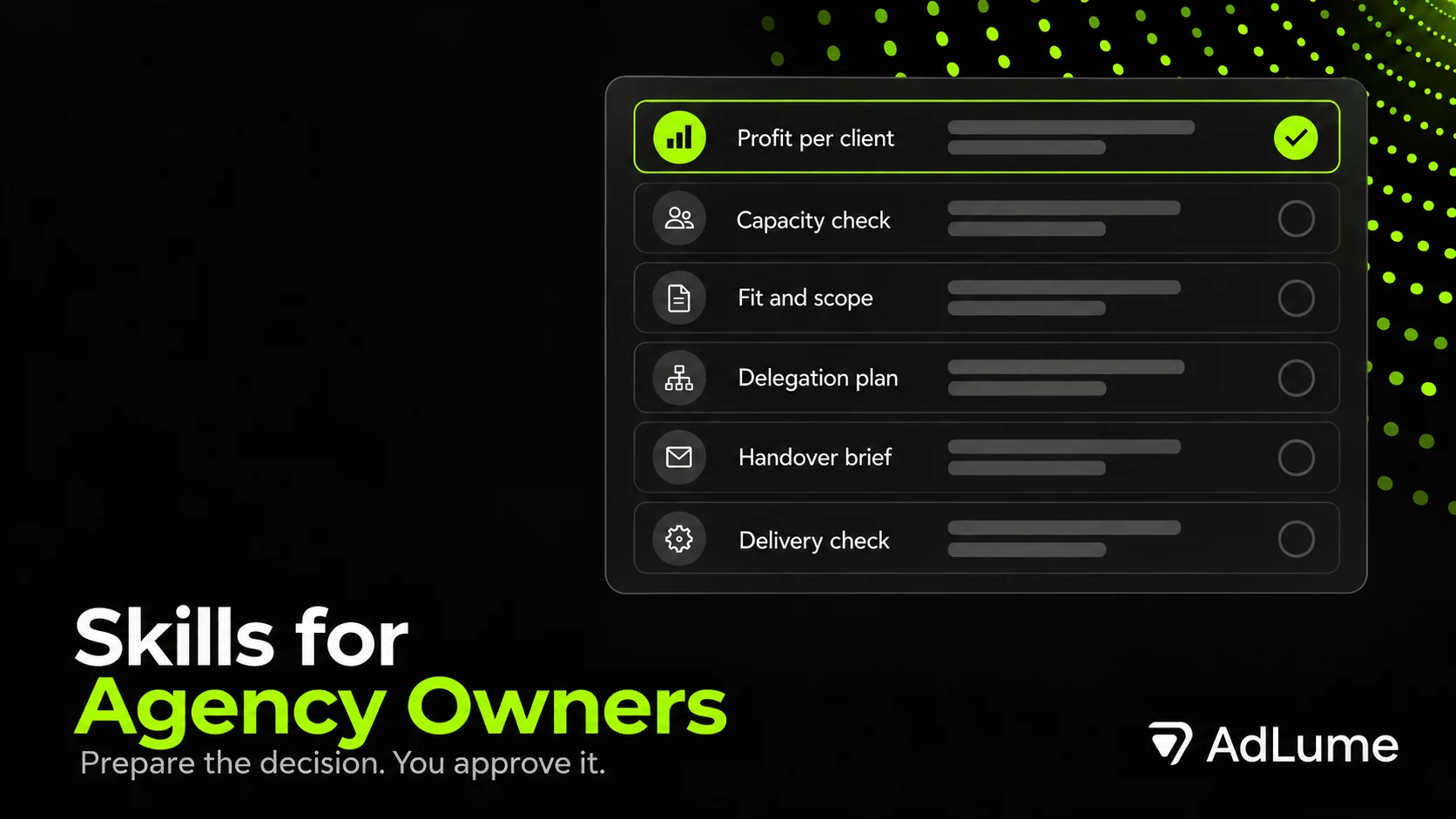
- Six skills, one decision each: client profitability, capacity before a new client, client fit and scope, owner delegation, client handover, delivery quality check.
- Pick by the decision due this week. A proposal due, a person leaving and a deliverable about to go out each have a skill that comes first.
- They work from what you paste in. No connectors or automatic client messages. You supply the data and approve actions.
- Profit and capacity use a small calculator that stops on missing input instead of guessing.
- Every skill prepares a decision. Repricing, saying yes to a client, approving work and sending stay with a named person.
Situations these skills are for
A client takes forever and you do not know if they cost you money.
A prospect wants social, ads, email and a new site for less than your minimum, and you have a proposal due Friday.
Your account manager leaves in three weeks and half of what she promised is in her head.
You read every client email before it goes out, because nobody else has your tone.
A deliverable comes back from the team and you have to decide if it matches what the client signed.
These are decisions, and they come with numbers, names and promises attached. Claude does not know those numbers or promises unless you supply them. These skills ask for the input first.
Which skill first
Pick the one that matches a decision with a date on it.
- A proposal is due and the budget looks low. Client fit and scope. If you lean towards yes, run capacity next.
- A prospect is waiting and the team feels full. Capacity before a new client.
- Someone who holds a client leaves or goes on leave. Client handover brief, first. It has a last day. Everything else can wait a week.
- A deliverable is about to go to the client. Client delivery quality check.
- Everything routes through you. Owner delegation plan.
- A client feels expensive and nothing is due. Client profitability review, on one client you know well. Compare the output with what you already believed.
Two of the six, profitability and capacity, run a small Python calculator. Four work in the conversation. Fit and scope multiplies hours by cost rates, so it needs a tool that can do arithmetic. Skills do not depend on each other. Any one runs alone.
No time tracking yet? Start with the delegation plan, the handover brief or the delivery check. They work from notes, briefs and emails you already have. Profitability review needs hours per client. Without them it lists the data still needed and never guesses an hour or a cost.
Six skills in detail
Every skill is a Markdown file with required input, a workflow, decision rules, an output format, a worked example and guardrails. Each section covers five things: what to paste in, what comes back, a first run on the fictional example, what to watch for and what the skill leaves out.
1. Client Profitability Review
Decision. Which ongoing clients pay for themselves, and which ones you only believe do.
Paste in, for one period and one currency:
- Each client’s agency fee, without VAT and without pass-through spend such as ad budget. You confirm both.
- Hours per person per client from a tracker export, plus senior and owner support hours listed apart. An empty list counts as an answer.
- Each person’s cost for the period, paid hours, time off and internal hours. Owner time needs a positive hourly rate you name.
- One overhead decision: left out, already inside each person’s cost, or a separate pool with an allocation method.
- Your target margin, if you have one.
You get back. A table per client on one printed basis: fee, hours, contribution, result after the overhead you chose, fee per hour and flags (LOSS, NO_FEE, BELOW_TARGET, OVER_SCOPE, NO_TIME_LOGGED). Paid time that no client used, such as leave, internal work and unlogged hours, appears once at team level. A closing line shows how far the client results sit above the agency result, and why. For each flagged client you get one next step with the numbers behind it.
What the flags mean. LOSS: result after overhead is below zero. NO_FEE: fee is zero. BELOW_TARGET: margin is under your target. OVER_SCOPE: logged hours are above the scoped hours. NO_TIME_LOGGED: no hours on that client, so contribution and result print n/a.
First run (fictional example). A three-person agency with three retainers and a September export. Brightside Bakery pays 3,200 PLN, used 51 hours against 30 scoped, and 6 of those were senior hours. Contribution is 31.3%, and after a shared overhead pool its result is 6.4% of the fee, against a 30% target. Its contract allows 2 revision rounds, and the tracker shows 4 on 9 of 12 posts. Those extra rounds are a supplied cause. How much of the 21 extra hours they explain is a hypothesis, and the output labels it that way. Recommended step: enforce the two agreed rounds. Cedar Legal and Northfield Dental are also over scope, so scoping is the shared issue. Full console output of this run is saved in the pack as examples/profitability-output.txt.
Watch for.
- A fee that includes VAT or ad budget. Claude asks about it, and the calculator stops when VAT status is missing.
- A tracker that covers only part of the team. A
READ FIRSTline gives the agency result and the cost of paid time no client row carries. A client with no logged hours showsNO_TIME_LOGGEDandn/afor contribution and result, because its cost is unknown. Its fee stays in revenue. - Hours above paid hours for one person. That stops the run. Ask whether hours were logged twice or the person worked unpaid extra. Do not raise paid hours without that answer.
- A fee in another currency. A rate means 1 unit of the fee currency equals that many units of the period currency. Read the applied rate back before you read the table.
- Scoped hours. Ask whether they include senior and owner time, because the calculator counts support hours against the scope.
- A client with no fee and logged hours. It shows
NO_FEEandLOSStogether, and rows are ordered by result in money, lowest first. - Missing person costs or fees. You get no profit or margin judgement. You get the list of data still needed, and hours against scoped hours, labelled as scope and not as money.
Outside its job. It proposes no new fee, judges nobody’s pace from hours and never spreads unused paid time across clients. A client row is a result after overhead, not a fully loaded cost.
2. Capacity Before New Client
Decision. Can the team deliver this new work without breaking what it already promised?
Paste in, for one period:
- Per person: role label, paid hours, time off, internal hours and hours already committed to clients.
- Work signed but not started: client, role, hours.
- New client demand per role as low, expected and high hours. Ask whoever will deliver, not whoever sold.
- One-off onboarding hours per person, especially seniors and account managers.
- Your reserve: the percentage of hours you keep unplanned.
You get back. Free hours per person and per role, then after signed work. A verdict at low, expected and high, and the largest shortfall at each level. Levers, each labelled supplied or not. A draft reply for you to send, or not.
First run (fictional example). November. Ada and Bram cover each other’s clients, so both carry the label account manager. Cleo is the only senior strategist. Reserve is 15%. Harbor Studio is signed and needs 10 account management hours. Lakeside Clinic wants a retainer. Free account manager hours come to 41.00, and 31.00 after Harbor Studio. Cleo has 12.50 free. At the low estimate the clinic does not fit, because Cleo is short by 1.50 hours. At expected she is short by 5.50. At high both roles fall short. Cleo’s 6 onboarding hours fit on their own, and stop fitting once strategy work is added. Levers: a smaller first scope, a different start period if you supply that period’s hours, or outside cover once its hours are confirmed. Saved as examples/capacity-output.txt.
Watch for.
- Ask first who can swap work, meaning people who can share a label. That answer changes the verdict.
- Labels must match exactly across people, signed work and demand. A demand label nobody holds counts as zero free hours and prints
ROLE NOBODY HOLDS, with the closest match named if it differs only by case or spacing. That verdict endsCONFIRM LABELS OR COVER: check the labels first, then decide if the gap needs cover or a hire. - A role or person already over its hours before the new client prints
ALREADY OVERCOMMITTEDandOWNER DECISION NEEDED, which means the script leaves that call to you. If the new client needs that role, the shortfall shows it. If it does not, the verdict covers only the roles it needs. - Committed hours from memory make the verdict advisory. A vague “about 20 hours” is not a range.
Outside its job. It does not decide whether to take the client, assume a new hire’s hours before they start or invent a start date nobody supplied.
New version of AdLume launching soon
Join the waitlist and get notified when the new AdLume is ready.
One email, on the day access opens. Nothing else, and you can leave the list with one click.
3. Client Fit and Scope
Decision. Whether to take a prospect, at what price and with what limits.
Paste in:
- What the prospect asked for, in their words, with the source.
- Their budget: monthly or one-off, with or without VAT, with or without ad spend.
- Your fit rules. If none are written down, the skill asks five questions: lowest fee, work you refuse, needed access and approval, revision rounds, and what made your last bad client bad.
- Each rule marked
ESSENTIALorPREFERENCE, and each essential rule markedHARD(no exception without your written word) orSOFT. - Estimated hours per role and your cost rate per role, for the same period as the fee.
You get back. Each rule marked MEETS, CONFLICTS or UNKNOWN with the source line. A scope table covering in scope, out of scope, assumptions, client dependencies, revision rounds and how changes are priced. A price check that shows each line of hours times cost rate. A verdict of DOES NOT FIT, NEED MORE INFO, FIT WITH CONDITIONS or FIT. Questions for the prospect and boundary wording for the proposal.
First run (fictional example). Maple and Co, a café group, asks for social, ads management, email and a new site at 2,500 EUR a month. Owner rules: minimum retainer 4,000 and no website builds, both HARD, plus two revision rounds and a 3-day feedback turnaround, both SOFT. Fee and website both conflict. Revisions and turnaround are UNKNOWN because the prospect said nothing. Price check: 18 account manager hours at 37.50 is 675 and 20 specialist hours at 30 is 600. Delivery cost is 1,275, so 1,225 of the fee is left before overhead and owner time. That is not profit. Verdict: DOES NOT FIT as offered. Boundary wording it drafts: “Our retainer includes two revision rounds per deliverable. A third round is billed at 90 per hour.”
Watch for.
- A gross budget. A budget of 4,500 PLN with 23% VAT is 3,658.54 net, which sits under a 4,000 floor. That fee rule stays
UNKNOWNuntil you confirm the agency-only amount. - A fee floor is a floor. A smaller scope at the same fee does not meet it, and the skill never offers one as a way around it.
- A stopped price check means
NEED MORE INFO. A delivery cost above the fee means the verdict cannot beFIT. You decide what changes: fee, hours or a recorded exception. It sets no threshold for how much margin is enough. - An exception closes a conflict only when it says who confirmed it and why.
Outside its job. It does not find leads, predict a signature or call a prospect a bad client. It uses your cost rates, not market rates.
4. Owner Delegation Plan
Decision. What to hand off, to whom, and within what limits.
Paste in:
- A task list from the last two weeks, plus recurring tasks outside that window. One line each.
- Per task if known: how often, your minutes per run, whether the steps are written anywhere and what happens if it goes wrong.
- Who could take each task, and whether they have the skill and the time.
- What you will let someone decide alone: spend, client-facing changes, deadlines. How fast you can answer questions.
You get back. An inventory table and a sort per task: OWNER DECISION NEEDED, STAY WITH OWNER, DELEGATE AFTER A BRIEF or DELEGATE NOW. At most three first handoffs, ranked by the minutes you supplied. A brief or SOP draft per handoff, approval limits and checkpoints with a date to loosen or tighten.
First run (fictional example). Dana lists eight tasks and three matter. Weekly check-in prep takes her 45 minutes, recurs, and “done” can be described, so it becomes DELEGATE AFTER A BRIEF to an account manager with time on Mondays. Approving freelancer invoices carries a money risk and Dana gave no spend limit, so it becomes OWNER DECISION NEEDED and the skill asks for one. Her final read of every client email stays with her, with one step: write down the five phrases she always edits. Checkpoint: Dana reads the first 3 agendas, a number she chose, and reviews on 2027-01-15.
Watch for.
- No limit from you means no handoff. Fee or discount changes, scope changes, anything sent to a client, access grants and payments never move without a limit you named.
- Only minutes you supplied count. A saving nobody measured is not added up.
STAY WITH OWNERis a valid answer, and the skill gives the reason in one line.- An SOP needs steps you described. It does not write one for steps nobody explained.
Outside its job. It does not review finished work, which is skill 6. It does not rate people or propose pay, titles or hiring.
AdLume also keeps a separate library of free skills for paid ads, landing pages and B2B leads. It is the Marketing Skills Bundle, a different bundle from this Agency Owner pack. Leave your email in the form below to get it.
Claude Code Skills Bundle for Marketing
The full library of AdLume skills: paid ads, landing pages, B2B leads, GTM tracking, e-commerce.
The bundle goes straight to your inbox, then one email a week. Unsubscribe in one click. We never share your address.
5. Client Handover Brief
Decision. Whether a client can change hands without a gap.
Paste in:
- Client label, outgoing person, incoming person and the last day.
- Source material: email threads, call notes, the contract, proposal, tracker, chat excerpts.
- Client contacts as labels with roles, and who approves what on the client side.
- Commitments made: what, to whom, by when, where it was said. Open items and recent decisions.
- Access: which tools the work needs, who holds them, who can grant them. No passwords.
You get back. A commitments table with a status per line, a decision log, an approval map, an access matrix and relationship notes labelled with whose opinion each one is. Facts only the leaver seems to know become questions for the leaver. You also get an introduction plan as a draft, a two-week checklist, and a readiness of READY or BLOCKED with an owner and one question for every blocker.
First run (fictional example). Kasia hands Brightside Bakery to Bram. Commitments found: a weekly Friday summary from the kickoff email and a menu launch plan due 2026-12-01 that the client has not confirmed. A third, “a discount code for the loyalty list”, appears only in Kasia’s notes. That last one stays UNCONFIRMED, because a note is an opinion. This brief ends BLOCKED with five blockers: Bram’s start date, the unconfirmed launch plan, the code with no source, the post approver and the page admin transfer. An unnamed fee approver is listed with an owner and a question, but does not block, since nothing due in the first two weeks depends on a fee change.
Watch for.
- Unsourced means unconfirmed. A note that says the client “reacts badly to Monday messages” stays
LEAVER VIEWuntil someone sources it. - Dates in the plan are
PROPOSEDuntil the named people agree. - A leaver who has gone or cannot be reached. Each question for them becomes
UNANSWERABLEand goes to the agency owner, a client contact or the source material. Handover staysBLOCKEDuntil a client-facing source or the client confirms the answer. - Credentials. It records who holds access, never the password.
Outside its job. It does not audit results, review campaigns, judge past work or send the introduction message.
6. Client Delivery Quality Check
Decision. Whether one deliverable matches what was agreed, before it reaches the client.
Paste in:
- Your deliverable, with its version. A description of the work is not enough.
- Brief, contract excerpt or acceptance criteria, with source and date.
- Who has review authority for this item, and who approves on the client side.
- Revision rounds allowed and used, and earlier feedback.
You get back. Each criterion copied word for word with its source, marked PASS, REWORK or NEEDS INFO, with the exact place in the work that shows it. Each REWORK states the change and who makes it. You also get a scope check in both directions and a revision count. Overall result: REWORK, HOLD FOR INFO or READY FOR HUMAN APPROVAL. A rework request is drafted for the person who made the work.
First run (fictional example). Cedar Legal, a fictional law firm, has three consultation emails in round 1 of 2 included. Its brief has six criteria. Counted with wc -w on the stated basis, the emails run 75, 177 and 76 words, so email 2 breaks the 150-word limit by 27. Email 3 ends “Reply to this email” with no booking link. Email 1 promises “we will win your case”, which the brief forbids. “Tone is friendly but professional” cannot be checked as written, so it gets NEEDS INFO and a question for the partner. Partner approval is not on file, which is also NEEDS INFO. Email 2 announces a webinar the brief never mentioned, flagged for the account lead to keep or cut. Overall: REWORK.
Watch for.
- Work described but not supplied. There is nothing to quote, so it gets
NEEDS INFO, neverPASS. - Counts. State the counting basis first. If no tool can count in the conversation, the criterion becomes
NEEDS INFO. Counts are never estimated. - Evidence outside the work, such as an approval on file, is
NEEDS INFOwith a name of who can confirm. It is notREWORK. - Any
REWORKoutranksNEEDS INFO. Your own taste goes in a block markedREVIEWER NOTE (not a criterion).
Outside its job. No score or quality percentage. It does not verify figures against source systems, approve work or send anything to the client.
Four ways to chain them
These are workflows an agency owner can run in a week. Each step is a separate skill and a separate conversation.
1. From prospect call to proposal. Run fit and scope on the request. It returns your questions for the prospect and the boundary wording. You send the questions. If you lean towards yes, ask the delivery leads for low, expected and high hours and run capacity. A fit verdict does not need the capacity check and the other way round. When both pass, the proposal carries the boundary wording, so the client reads the included revision rounds and the price of a third round before signing.
2. Month close. Export the tracker and run the profitability review for every client on one basis. Read the team-level lines first, then the flagged clients. Each gets one next step with its numbers. Repricing at renewal stays your decision. If the review shows you doing the admin yourself, run the delegation plan next.
3. Before a last day. Run the handover brief while the leaver is still reachable. Send the leaver the questions before the last day. Work the BLOCKED list: each blocker has an owner and one question. Treat the introduction plan as a draft. A named person calls the client, and the incoming person follows up the same day, so the client meets someone who already has the commitments written down.
4. Before it leaves the building. Run the quality check against the brief. Send the rework request to the person who made the work. Only the person with review authority approves, and the client note stays a draft until then. If you read every client email yourself, the delegation plan asks you to write down the phrases you always edit. A criterion still needs a source, so you or the brief owner confirm each one before the skill uses it.
What goes wrong first
- A guess in place of an answer. When a skill asks a question, answer it. A guess from you becomes a fact in the result.
- Editing a figure to pass the check. If the calculator stops, fix the input with the real number. Skills tell Claude never to change a figure only to clear a stop.
- A draft treated as sent. Every message, SOP and rework request is a draft with your name still missing.
- Client details in the paste. Use labels such as Client A. Anything you paste is processed by your AI provider.
How to use
- Pick the skill from the list above and open a conversation in Claude Code with the skills installed.
- Paste the material from its “Paste in” list. Say the period and currency once.
- Ask for the skill by name. For the calculator skills, expect questions first and arithmetic second.
- Answer what it asks. Items it cannot find come back as
MISSING INPUT. - Read the labels in the output:
SUPPLIED,ASSUMED,HYPOTHESIS,UNCONFIRMED. They show what rests on your data and what does not. - Save the output. Decide, and send anything that goes to a client yourself.
Open the saved outputs in the pack’s examples folder before your own first run. They show the shape of a result on fictional inputs.
Install
Download the bundle, unpack it and run the installer. It copies each skill with the references it needs and puts the calculator inside the two skills that use it. If a folder with the same skill name already exists in the destination, it stops before copying anything and deletes nothing, so your edited versions stay safe.
unzip agency-delivery-claude-skills.zip
cd agency-delivery-claude-skills
./scripts/install.sh ~/.claude/skills
scripts/verify_install.sh
That command installs into a fresh folder, runs the calculator from the installed path on the shipped fictional inputs, compares results with saved outputs and confirms that broken input stops. It checks files and calculators on your machine. It does not run Claude, so a skill is only tested when you run it in your own conversation. It was tested in a terminal with a Claude Code skills folder.
Download the six-skill agency pack
Six skills, the calculator, worked examples with saved outputs, an installer and a check of the installed files and calculators.
No connectors or automatic client messages. You supply the data and approve actions.
Where this comes from
These six jobs come from repeated themes in our own notes from conversations with agency owners. That is a small, informal set. It does not show how common any job is.
Skills have not been tested on your agency. Run one on a client you know well and compare the output with what you already believe.
FAQ
Which skill should I start with?
Start with the decision due this week. A proposal due means client fit and scope. Someone leaving means the client handover brief. If nothing is due, run the profitability review on one client you know well and compare it with what you already believe.
Do these skills connect to my time tracker or CRM?
No. They work from what you paste in: exports, notes, contracts and briefs. No connectors or automatic client messages. You supply the data and approve actions.
Can a skill reprice a client, accept a prospect or approve work?
No. Each skill prepares a decision and says what is missing. A named person reprices, accepts, approves and sends.
What if I do not have all the numbers?
If something is missing, the skill lists it and asks for it. Profit and capacity also run a calculator that stops when a period, currency, unit, VAT status or overhead decision is missing.
Do I need Python?
Two skills, client profitability and capacity, run a small Python calculator. Four others work inside the conversation. Client fit and scope multiplies hours by cost rates, so it needs a tool that can do arithmetic.
Do they work in Claude.ai or Claude Desktop?
Install and checks were tested in a terminal with a Claude Code skills folder. Uploading the folders to other Claude apps is not covered by those checks.
Is it safe to paste client data?
Anything you paste is processed by your AI provider. Use labels such as Client A, remove identifiers, never paste passwords, and use an account approved for that data.
Where do these six jobs come from?
From repeated themes in our own notes from conversations with agency owners. That is a small, informal set. It does not show how common any of the jobs is, and the skills have not been tested on your agency.